1、 What are the advantages and disadvantages of SSD and HDD?
Like the two sides of anything else, SSD and HDD each have their own advantages and disadvantages. At present, the biggest disadvantage of solid-state drives is cost and capacity, while the biggest advantage is performance. In addition, solid-state drives require less electricity to perform the same operation, which means laptops can extend battery life and data centers can greatly save on electricity bills. Due to its greater resistance to vibration and impact, solid-state drives are also more suitable for mobile devices than HDDs. If the capacity requirement is not high, solid-state drives can even be cheaper than traditional hard drives. For example, currently the lowest priced netbooks mostly use small capacity solid-state drives. A common SATA hard drive is 80-90MB/s, while the average seek time of Rahonix solid-state drives is only 0.2 milliseconds, while traditional hard drives mostly take 4 to 15 milliseconds, with a difference of 20 to 75 times.
2、 What is the performance of solid-state drive RAID 0? Can RAID 0 be implemented inside an SSD?
The performance of building a RAID 0 array using multiple solid-state drives is quite impressive, but it is important to ensure that the RAID controller can meet its requirements. The amount of data required for solid-state drives to operate in array mode is quite large, and many RAID controllers may not have considered such speed in their design. The read and write of solid-state drives themselves are carried out in parallel.
3、 Why do everyone choose MLC particles? Isn't SLC faster?
Yes, SLC NAND flash memory is faster, but a noticeable difference can only be seen when comparing face-to-face. Moreover, as long as parallel read and write mechanisms are used on a large scale, MLC can also achieve high speed. In such a situation, SSD manufacturers will definitely pay more attention to cost and capacity issues, and MLC's low price and large capacity have become advantages.
4、 Comparison of power consumption between solid-state drives and traditional hard drives
Generally speaking, SSD and HDD have similar power consumption when operating at the same high load or in the same sleep state. However, solid-state drives still have some advantages in power consumption performance. The first SSD does not have a rotating motor inside, so its power consumption is significantly lower when idle. Secondly, due to the absence of a startup time for speed increase or decrease, SSDs enter or wake up from sleep for a shorter and more frequent period of time. Finally, solid-state drives are able to complete the same task in a shorter amount of time, thus entering sleep mode earlier. The above advantages make solid-state drives more energy-efficient than traditional hard drives in practical use.
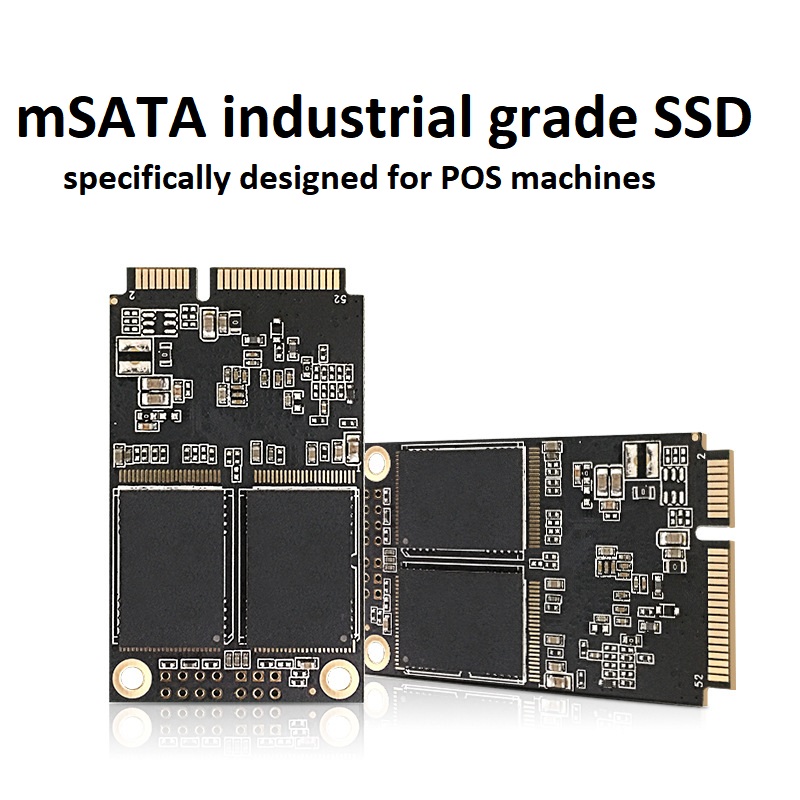
5、 Is there different levels of flash memory available, and why are USB drives much cheaper than solid-state drives of the same capacity?
Indeed, flash memory has different qualities and corresponding costs, just like CPUs. USB drives usually use lower grade flash memory. If you use a USB drive as a hard drive, I think you can immediately feel the performance difference. In terms of reliability, there is also a clear difference between good and bad flash memory, and high-quality flash memory chips have a much lower probability of errors throughout their entire lifespan. Although we can definitely create cheap portable hard drives with cheap flash memory, I think everyone understands the reason that cheap is not good.
6、 Will the performance of solid-state drives decrease when they are filled up?
For solid-state drives, performance is not related to the amount of data stored. Whether empty or close to full, the loss balancing management algorithm for flash memory will continue to work as usual. Some common file systems such as NTFS and FAT32 may experience performance degradation when space is low, but this is a software issue and is not related to whether solid-state storage is used. When a file system specifically designed for solid-state drives is introduced in the future, there may also be examples of how the amount of data stored on the hard drive affects performance.
7、 How will the external usage environment affect the lifespan of solid-state drives?
Due to the absence of moving parts, solid-state drives are more resistant to impact and vibration than traditional hard drives. Additionally, since magnetic storage media are not used, there is no risk of data loss due to magnetization. Therefore, if laptop manufacturers use solid-state drives, they can save a lot of hard drive shock protection accessories, further saving space and weight inside the body. For desktop PCs, there is no need to worry about any environmental issues when using solid-state drives.
8、 How long is the lifespan of solid-state drives?
Firstly, flash memory is a mature technology that has undergone long-term practical testing. Although flash memory particles have a certain read and write lifespan, with current technology, their lifespan is far higher than their actual usage life. For example, official data from Rahonix solid-state drives shows that regardless of frequency of use, they have a minimum effective lifespan of 8 years. If the application frequency is not high, it can be extended for another 5 years. Secondly, Rahonix solid-state drives offer a two-year warranty for the MLC series and a three-year warranty for the SLC series, allowing users to use Rahonix solid-state drives with complete confidence.
9、 Do solid-state drives need to be defragmented?
The answer to this question is quite complex. The data storage method of solid-state drives is significantly different from traditional hard drives. For example, in order to prevent frequent reading of a storage unit and rapid aging, solid-state drives often use a "loss balance" mechanism to average the number of times each block is read and written. The current operating system is not prepared for this either.
The main principle of a disk defragmenter is to place data that needs to be read frequently in a location that can be accessed at high speeds, while data that is rarely accessed is piled up in the corners. The principle of solid-state drives determines that they can quickly find any piece of data. The current disk organization tools are powerless to optimize the file system of solid-state drives. Therefore, it is recommended that solid-state drive users disable automatic disk defragmentation and do not manually perform it.


